
How do I find invoices and receipts?
GigSalad doesn’t use traditional invoices, but don't worry — everything you need to pay for your booking or document it afterward is already on the site. This article will walk you through where to find it, depending on where you are in the booking process.
Haven't booked yet?
When a provider responds to your event request, they’ll send a quote through GigSalad. That quote is their official pricing proposal — it outlines the cost, services included, and terms of the booking. In other words, it serves the same purpose as the invoice you might be used to receiving elsewhere.
To move forward, just open the quote and click Book now to make a secure payment with our Worry-Free Guarantee.
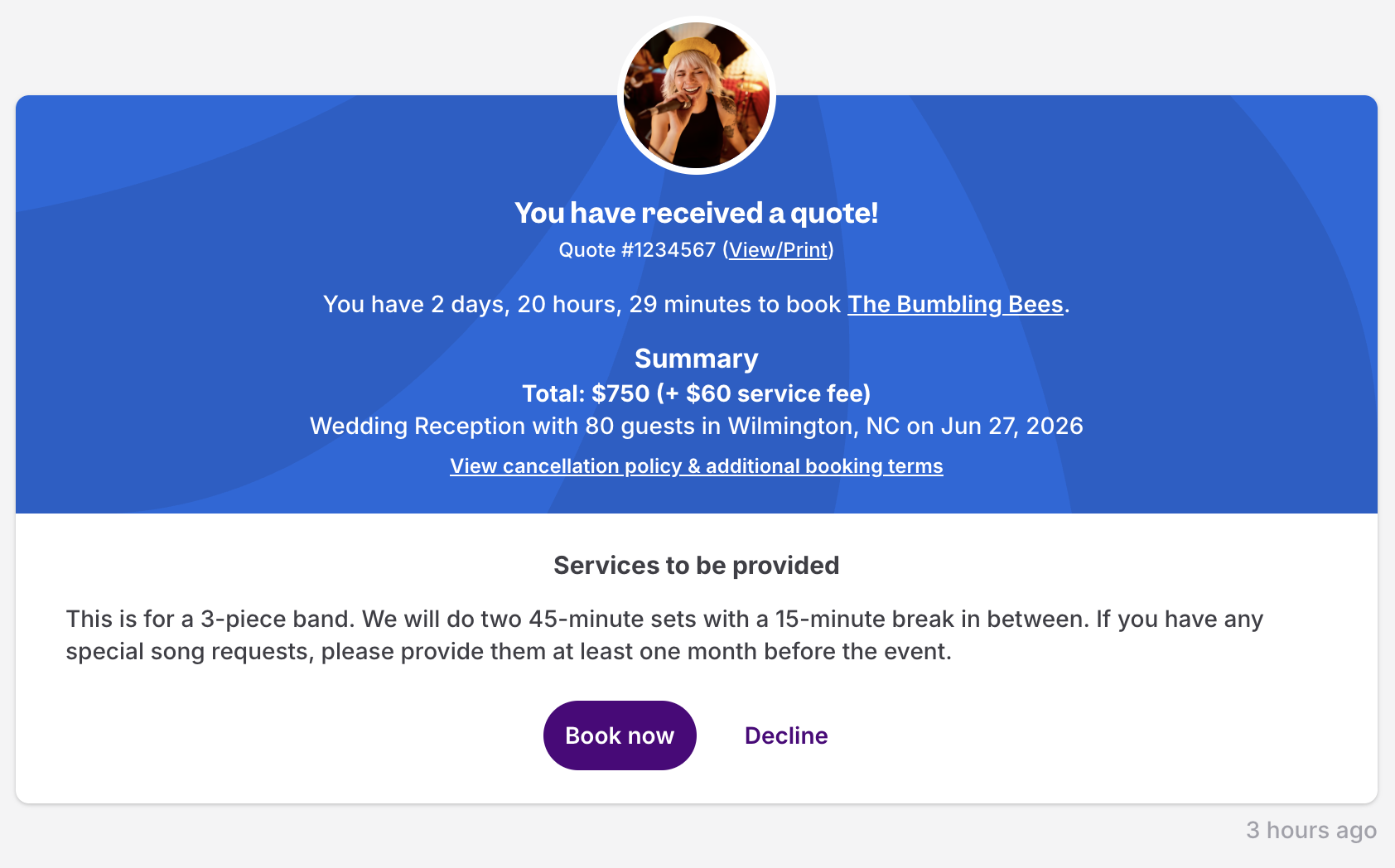
If you need to save or print the quote to send as an invoice to your boss or finance department, you can do so by clicking the “View/Print” link beside the quote number. From the quote page, you can use the Print this quote button to print or save it as a PDF.
Did a provider send you an invoice through a message or outside of GigSalad?
We’d recommend asking them to send an official quote through the platform instead. Booking on-site is the only way to keep your event covered by the Worry-Free Guarantee. It also keeps everything (quote, agreement, payment, messages) in one place for you.
Already booked?
There isn’t a separate "receipt" document to download on GigSalad, but you have two easy options:
-
Check your email. After your payment goes through, we’ll send you a confirmation email that includes your receipt information and payment method details. If you can’t find it, check your spam or promotions folder, or search your inbox for “GigSalad.”
-
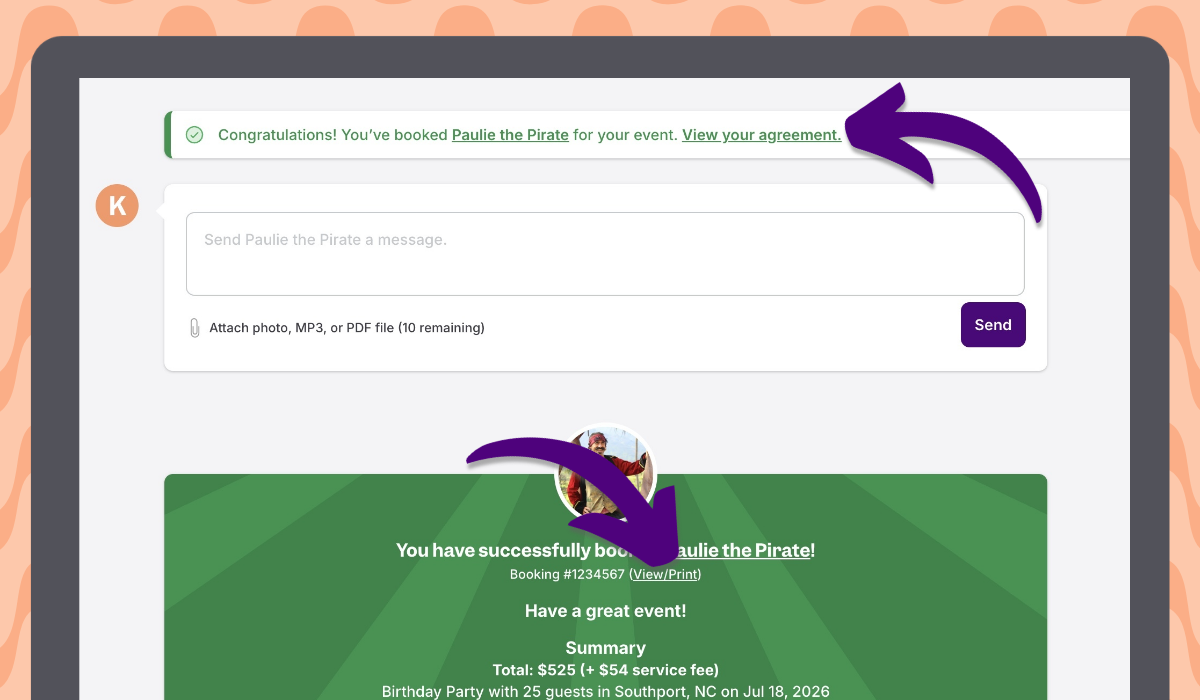
Pull up your booking agreement. Head to your message thread with the provider, and you should see a “View your agreement” link in the green message at the top of the page. You can also click the “View/Print” link on the booking thread item next to the booking number. From the agreement page, you can use the Print this booking agreement button to print or save it as a PDF.
Still need help? Contact our Customer Happiness team, and we’ll be happy to walk you through it.